Related Posts Plugin for WordPress, Blogger...

About

Follow Us

Showing posts with label database. Show all posts

Monday, 20 July 2015

Introduction:
In this article I will learn how to fill or populate Datatable using Stored Procedure with data from database in asp.net. First of we will fetch data from Sql database using Stored Procedure then  fill data in Dataset using SqlDataAdapter.


Implementation: Follow following steps
Create a database i.e. “Test”.  Then create a table “Student_Info”.
Column Name
Datatype
Student_id
Int(Primary Key. So set Is Identity=True)
Student_Name
Varchar(500)
Age
int
Class
Varchar(50)

Now insert some data in this table using “insert” command.
Create Stored Procedure:
create proc Fill_DataTable
as
begin
select * from student_info
end

Create Connection: Now create connection in  webconfig file as given below.
<connectionStrings>
    <add name="con" connectionString="Data Source=localhost; Initial Catalog= Blog; Integrated Security=true;" providerName="System.Data.SqlClient"/>
  </connectionStrings>

ASP.NET code behind File using C#:

Add following Namespaces:
using System.Data;
using System.Data.SqlClient;
using System.Configuration;

C# Code to get data and Fill Data Table:
SqlConnection con = new SqlConnection(ConfigurationManager.ConnectionStrings["con"].ConnectionString);
    protected void Page_Load(object sender, EventArgs e) 
    {
        if (!IsPostBack)
        {
            Bind_datatable();
        }
    }
    //Fetch data from database and bind to gridview
public void    Bind_datatable ()
    {     
        if (con.State == ConnectionState.Open)
        {
            con.Close();
        }
        con.Open();
        DataTable dt = new DataTable ();
        SqlCommand cmd = new SqlCommand();
        cmd.Connection = con;
        cmd.CommandText = "Fill_ DataTable ";
        cmd.CommandType = CommandType.StoredProcedure;
    SqlDataAdapter dataadapater = new SqlDataAdapter();
    dataadapater.SelectCommand = cmd;
        dataadapater.Fill(dt);      
    }

VB.NET code:
Add following namespaces:
Imports System.Data
Imports System.Data.SqlClient
Imports System.Configuration

Now Write Following Code:
Private con As New SqlConnection(ConfigurationManager.ConnectionStrings("con").ConnectionString)
Protected Sub Page_Load(sender As Object, e As EventArgs)
    If Not IsPostBack Then
        Bind_datatable()
    End If
End Sub
'Fetch data from database and fill dataset
Public Sub  Bind_datatable ()
    If con.State = ConnectionState.Open Then
        con.Close()
    End If
    con.Open()
    Dim dt As New DataTable ()
    Dim cmd As New SqlCommand()
    cmd.Connection = con
    cmd.CommandText = "Fill_DataTable"
    cmd.CommandType = CommandType.StoredProcedure
    Dim dataadapater As New SqlDataAdapter()
    dataadapater.SelectCommand = cmd
    dataadapater.Fill(dt)

End Sub

Tuesday, 9 June 2015

Introduction: 
In this article I will explain how to fill or filter a gridview based on dropdown selected value in asp.net using c#, vb.net. In his article I will filter the gridview data according to dropdown selection. First of all I will bind the dropdown with data from database and then gridview. After binding the data from database I will filter the data based on dropdown selection.

Monday, 8 June 2015

Introduction: 

In this article I will explain how to fill a jQuery autocomplete textbox from database 
in asp.net using c#, vb.net with example
 and show / display no results found message in autocomplete textbox when no matching records found in asp.net using c#, vb.net.

Wednesday, 20 May 2015

Magic tables in SQL:

Magic tables are the logical tables in SQL server. There are two types of logical tables in SQL server:
  • Inserted
  • Deleted
 These tables are automatically created and managed by SQL Server internally. These tables hold the recently inserted, deleted and updated values during Insert, Update and Delete operations on a table. These tables are not visible and accessible directly. There are two methods to access these tables
  •  Using Triggers operation either After Trigger or Instead of trigger.
  • Without Triggers Using “OUTPUT” Clause 
Using Triggers:

Inserted Logical Table:

Inserted logical table holds the latest inserted value or updated value in the table.

Whenever we do insertion or updating the record in table in database, a table gets created automatically by the SQL server, named as INSERTED.


CREATE TABLE [dbo].[emp_details](
            [empid] [numeric](18, 0) NOT NULL,
            [empname] [varchar](100) NULL,
            [salary] [numeric](18, 0) NULL,)


Now Create a trigger

CREATE TRIGGER emp _Insertion
ON emp_details
FOR INSERT
AS
begin
SELECT * FROM INSERTED
SELECT * FROM DELETED
End


Now Inert data in above table:


INSERT INTO  emp_details (empid, empname, salary) VALUES (201, ’XYZ’ ,1000)


Deleted Logical Table:

When we update the record in table then  two tables are created, one is INSERTED and another is called DELETED. Deleted table will hold the previous record after the updations and  Inserted table consists of the updated record.


CREATE TRIGGER emp_update ON emp_details
FOR update
AS
begin
SELECT * FROM INSERTED
SELECT * FROM DELETED
End


Update Record


update emp_details set empname='ABC' where empid=201


Without Triggers Using Output Clause:

Output Clause  with Insert Command:


INSERT into emp_details  (  [EmpID],  EmpName, Salary  )
OUTPUT
 Inserted.[EmpID], Inserted.EmpName, Inserted.Salary
VALUES (208, 'Delton', 15000);

Result:


Tuesday, 17 February 2015


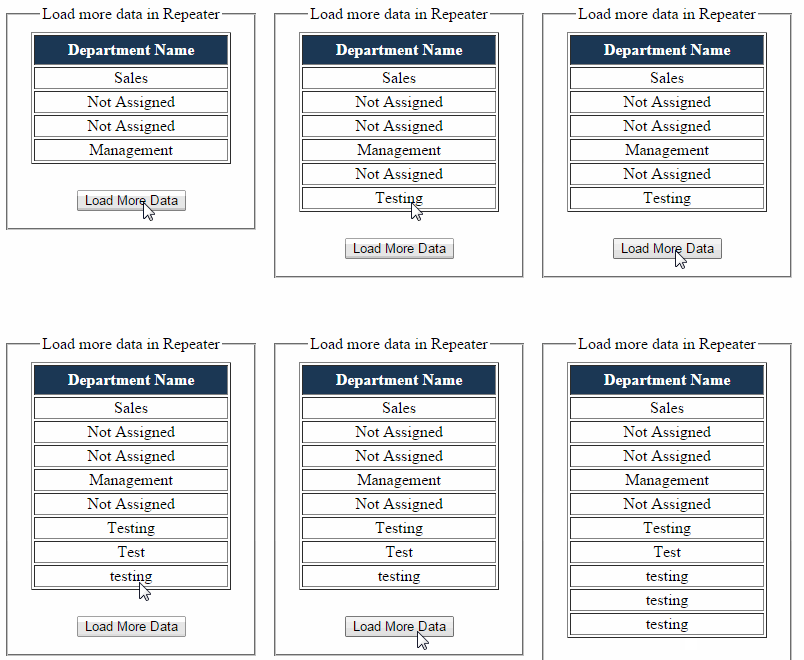
Some time we don’t need to show full data from database. In starting we show few records, then according to requirement we fetch more record.